
Group Expense Splitter · iOS 18+
Eveno
Split group expenses with the fewest possible payments — with no account and nothing to sign up for. Open Eveno, create a group, add what everyone spent, and it works out who pays whom and by exactly how much. No ads, no subscription.
The idea
Most expense splitters make you create an account before you can do anything, then sell you a subscription. Eveno doesn't.
No account, ever
Open Eveno and start — no signup, no login, no email. There are no ads, no banners, and no upsell pop-ups. Your data lives on your device and, if iCloud is on, in your own private iCloud.
The fewest payments
Eveno's settlement algorithm clears everyone's balance in as few transactions as possible — no chains of small paybacks, just the shortest path to even. When it's time to settle, it writes a warm, pre-worded nudge so the ask never feels awkward.
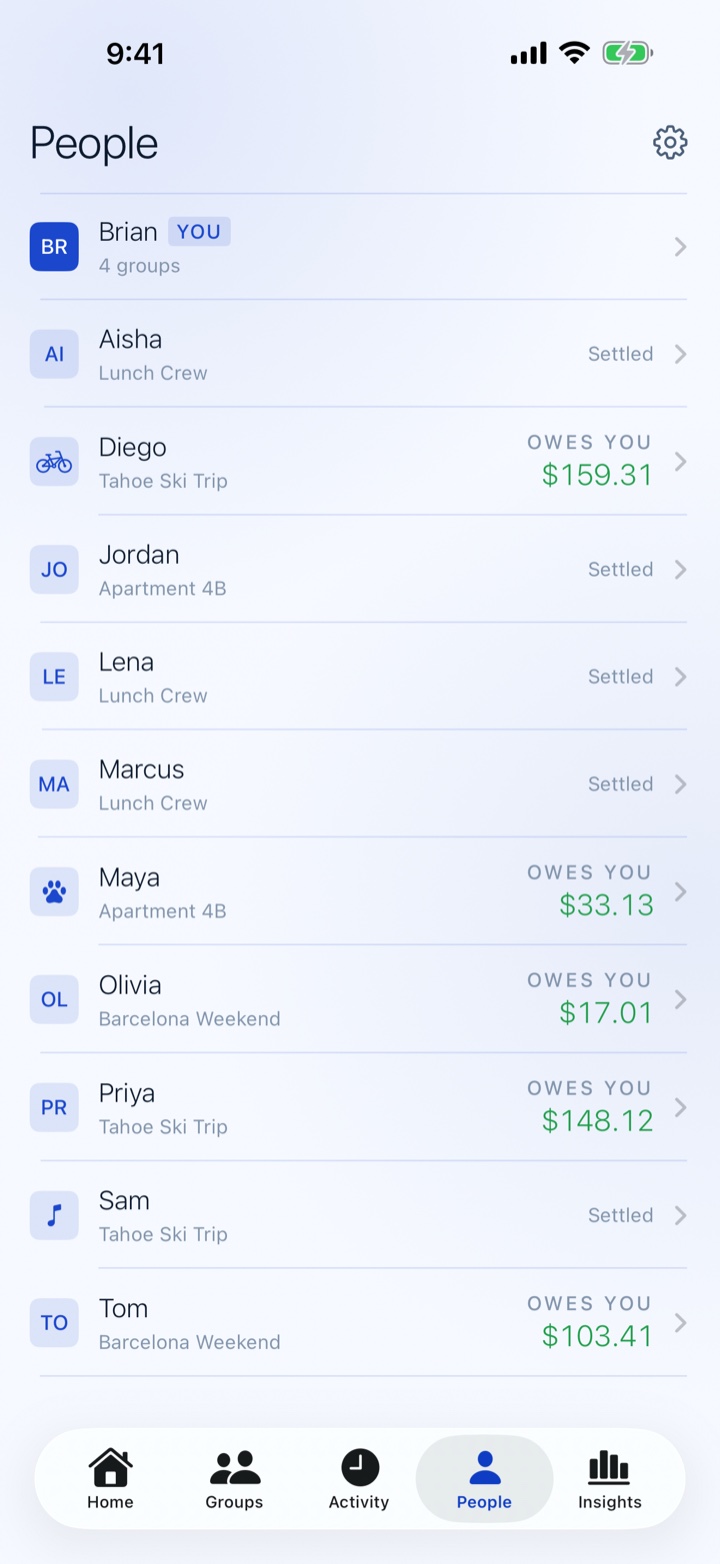
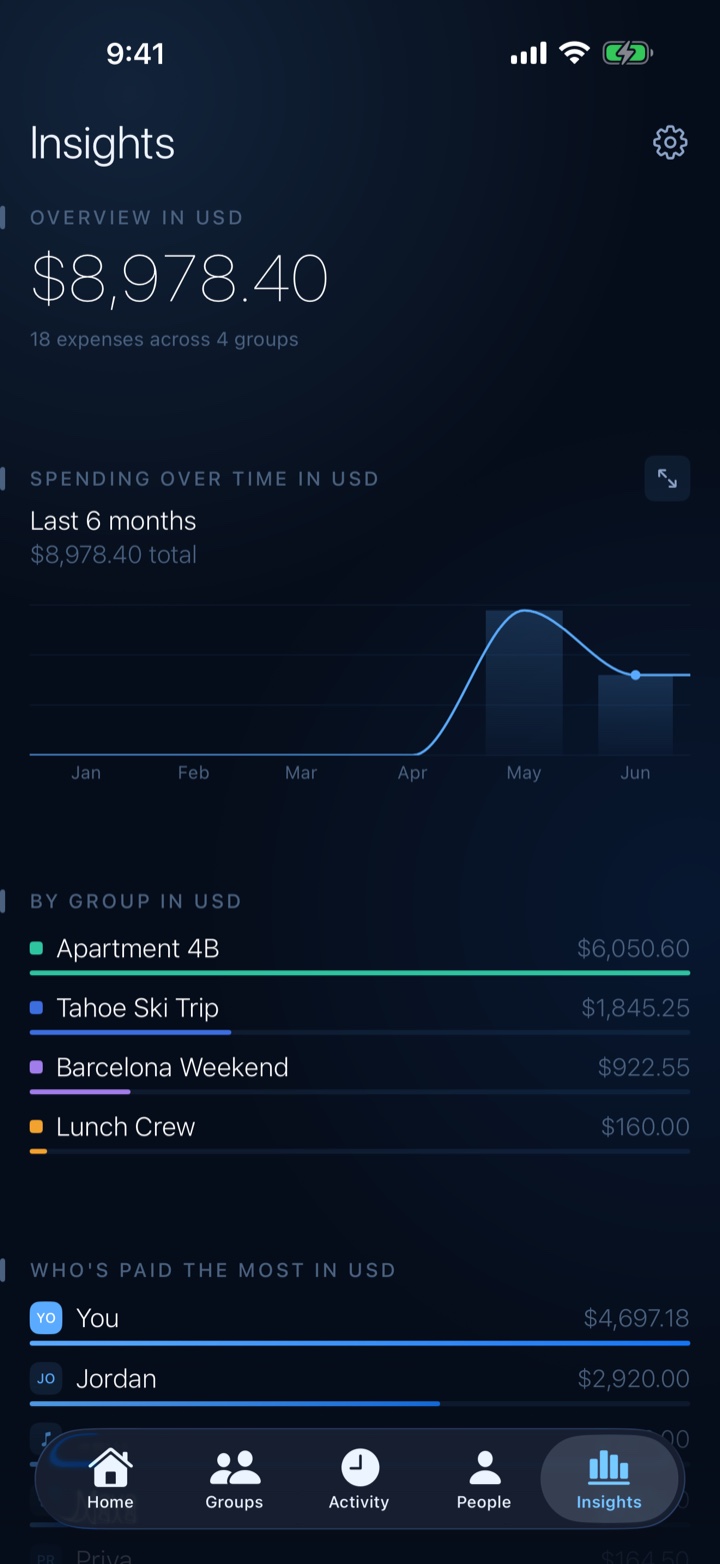
A look inside
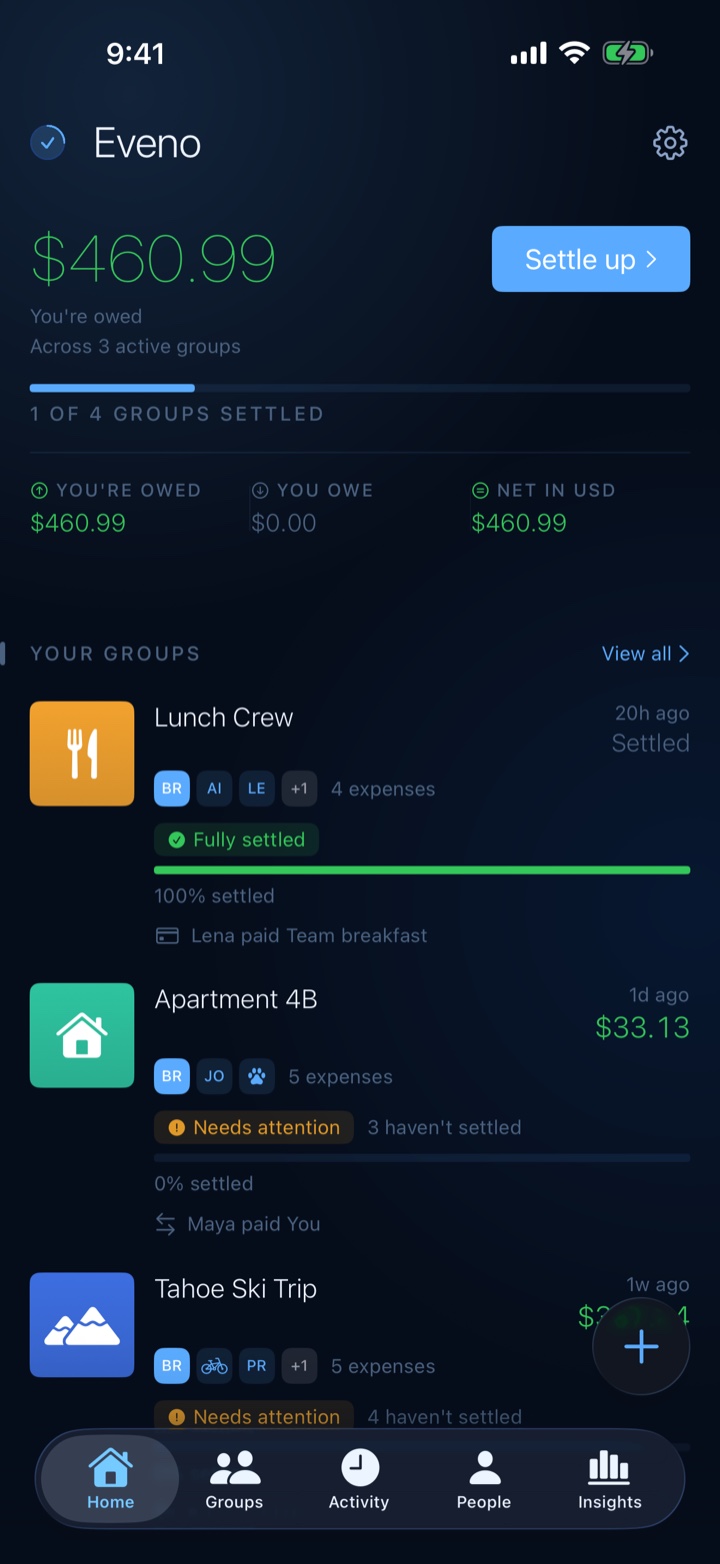
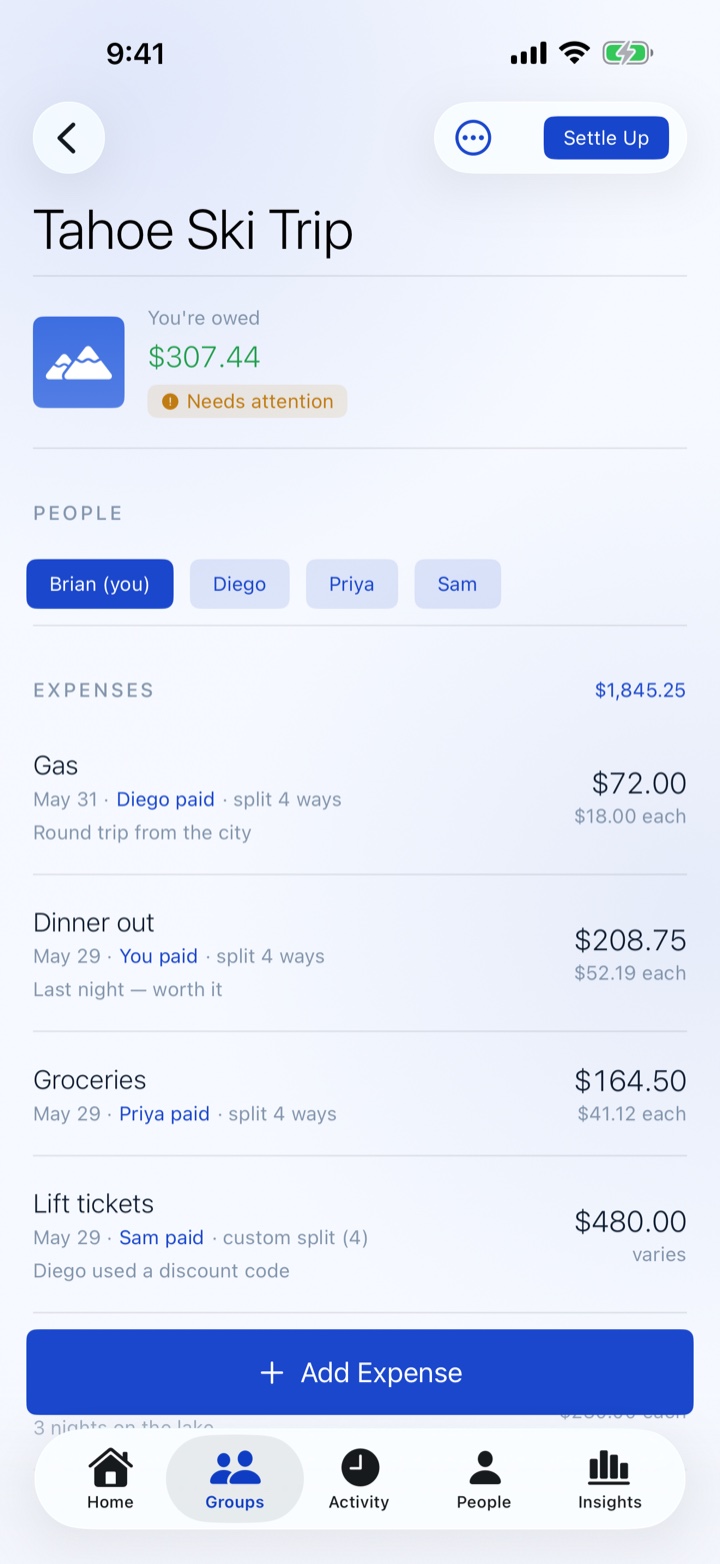
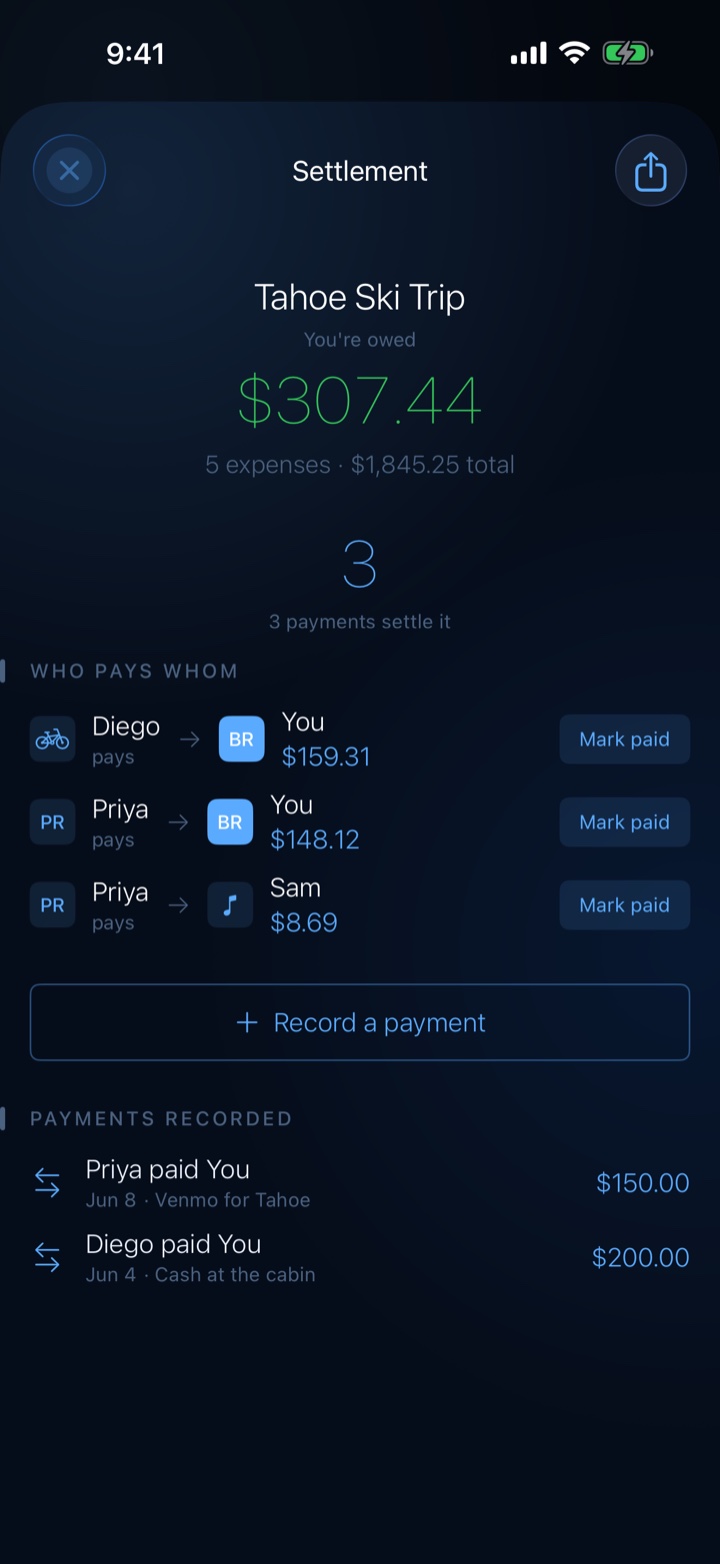
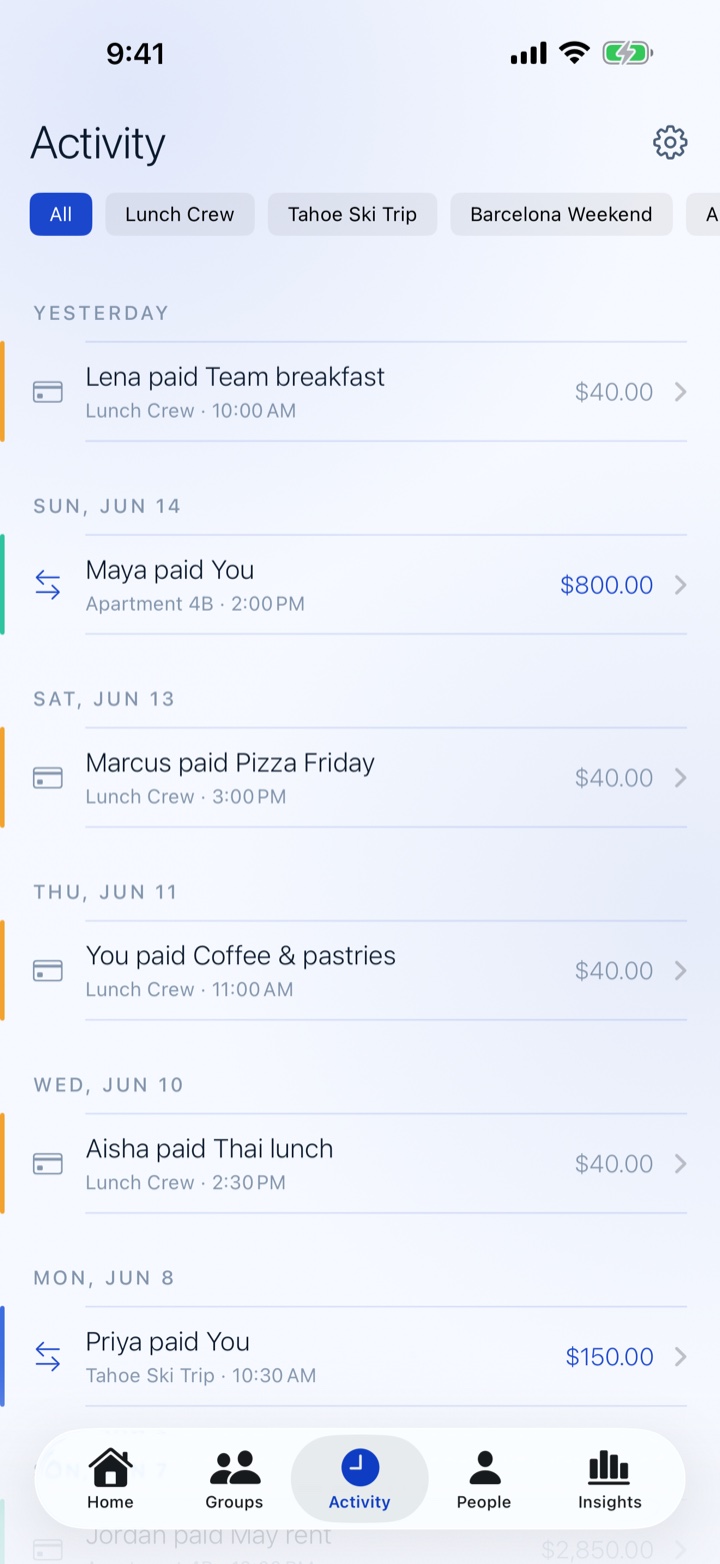
What Eveno does
No account, no friction
- No signup, no login, no email — open Eveno and start splitting
- No ads, no banners, no upsell pop-ups
- The people you invite to a shared group don't need an account either
Settle in the fewest payments
- A minimum-transactions algorithm clears everyone's balance in as few payments as possible
- Friendly, pre-written reminders — it's the math, not the pressure
- Record real payments as they happen, including partial paybacks
- Settling up and recording payments are always free
Built for real life
- A reusable people pool — add someone once, track what you owe them across every group
- Equal splits free; By Amount and By Percent on Pro
- Back-date expenses, add notes, attach receipt photos
- Per-group color, icon, and currency, plus an activity feed of everything
Multi-currency & sync
- Each group has its own currency; every settle-up amount shows an approximate home-currency value beside it — free
- Private iCloud sync across your devices
- Home Screen and Lock Screen widgets showing your net balance across groups
- Pro adds a single combined total across groups in different currencies
Free & Eveno Pro
The free tier covers up to 3 groups and 5 people per group — plenty for a trip or a shared house. Eveno Pro is a single one-time purchase if you ever want more.
Free
Always free
- Up to 3 groups and 5 people per group
- Minimum-payments settle-up and recording payments
- Friendly settle-up reminders
- Reusable people pool and equal splits
- Built-in icon library, per-group color & currency
- Home-currency estimate on every amount
- Private iCloud sync and the Balances widget
Eveno Pro
$4.99 · one-time, no subscription
- Unlimited groups and up to 20 people per group
- Share groups for collaborative editing
- Custom split types — by amount or by percent
- Receipt, cover, and person photos
- Spending Insights with 6-month trends
- CSV and PDF export
- A single combined total across multi-currency groups
- Spending Trend widget
Questions
Do I need an account to use Eveno?
No. There's no signup, no login, and no email required — open Eveno and start splitting. Your data lives on your device and, if iCloud is on, in your own private iCloud. Sharing a group so others can edit it together is an Eveno Pro feature — and the people you invite don't need an account either.
How does "who pays whom" work?
Open a group and tap Settle Up. Eveno computes the fewest payments that clear everyone's balance and lists them. You can tap Mark paid on a row to record exactly that payment, or record a partial or off-plan payback. It's free — settling up is the whole point of the app.
Is Eveno Pro a subscription?
No — it's a one-time purchase tied to your Apple ID. There's no recurring charge; once you've bought it, it restores on any device signed in to the same account. If you ever lose Pro, anything you created with it stays viewable and editable — only creating new Pro-gated items is blocked until you have Pro again.
What's included in Eveno Pro?
Pro lifts the free limits on group count and group size, lets you share groups with other people, and unlocks receipt/cover/person photos, custom split types (by amount or percent), CSV & PDF export, the Spending Insights screen, and a single combined total across groups in different currencies. The settlement calculator, recording payments, the icon library, and the home-currency estimate are always free.
Can I share a group with someone else?
Yes, with Eveno Pro: open a group → the ⋯ menu → Share Group, and invite people the way you share anything else (Messages, Mail, a link). Everyone you invite — Pro or not — can open the group and add expenses; changes sync over your private iCloud. NorthPack Studios never sees the data.
Can groups use different currencies?
Yes — each group has its own currency, picked when you create it. For free, every settle-up amount shows an approximate home-currency value beside it (e.g. "€32.10 ≈ $35.20") so you always have a figure for your banking app. Eveno Pro additionally folds groups in different currencies into a single combined home-currency total on the Home screen and widget.
Where is my data stored?
On your device, and — if iCloud is enabled — mirrored to your private iCloud account so it syncs across your devices. NorthPack Studios LLC cannot access it. You can also export a full JSON backup at any time from Settings → Data Management.
What is sample data?
When you first open Eveno with no groups, the welcome screen offers an opt-in "Try with sample data" link that loads a bundled sample — four groups across a mix of currencies, expenses, and recorded payments — so you can poke around before committing real data. Sample data lives only in memory and is discarded when you exit sample mode or relaunch.
Requirements
- Platform
- iPhone & iPad
- iOS version
- iOS 18 or later
- Sync
- Your own private iCloud
- Price
- Free · Pro $4.99 once
Split the bill in the fewest payments.
Download on the App StoreFree to download · one-time Pro unlock · no subscription, no account